SVG | Web サイト制作
基本
imgによる表示は画像として配置されるのでCSSは適用されないインラインによる表示はCSが適用される- SVGにwidth、heightプロパティが指定されていても、親サイズの幅で表示される(例では50pxではなく200pxで表示)
https://qiita.com/takeshisakuma/items/6bd2b4cc9fb4edf61288
例) sample.svg
<svg xmlns="http://www.w3.org/2000/svg" viewBox="0 0 50 50"><style>.cls-1{fill:red;}</style><rect class="cls-1" width="50" height="50"/></svg>
表示
<html>
    <head>
        <style>
            /* インラインに適用 */
            .cls-1 {
                fill: orange !important;
            }
        </style>
    </head>
    <body>
        <div style="width: 200px">
            <img src="sample.svg">
        </div>
        <div style="width: 200px">
            <!-- inline -->
            <svg xmlns="http://www.w3.org/2000/svg" viewBox="0 0 50 50"><style>.cls-1{fill:red;}</style><rect class="cls-1" width="50" height="50"/></svg>
        </div>
    </body>
</html>
アニメーション
インラインSVGはCSSアニメーションを適用できる。
<html>
    <head>
        <style>
            .rect {
                fill: orange !important;
            }
            .animation  {
                fill: orangered !important;
                stroke-width: 3px;
                stroke: orange;
                transition: all 3s linear;
            }
        </style>
        <script>
            window.onload = () => {
                const target = document.querySelector('.rect')
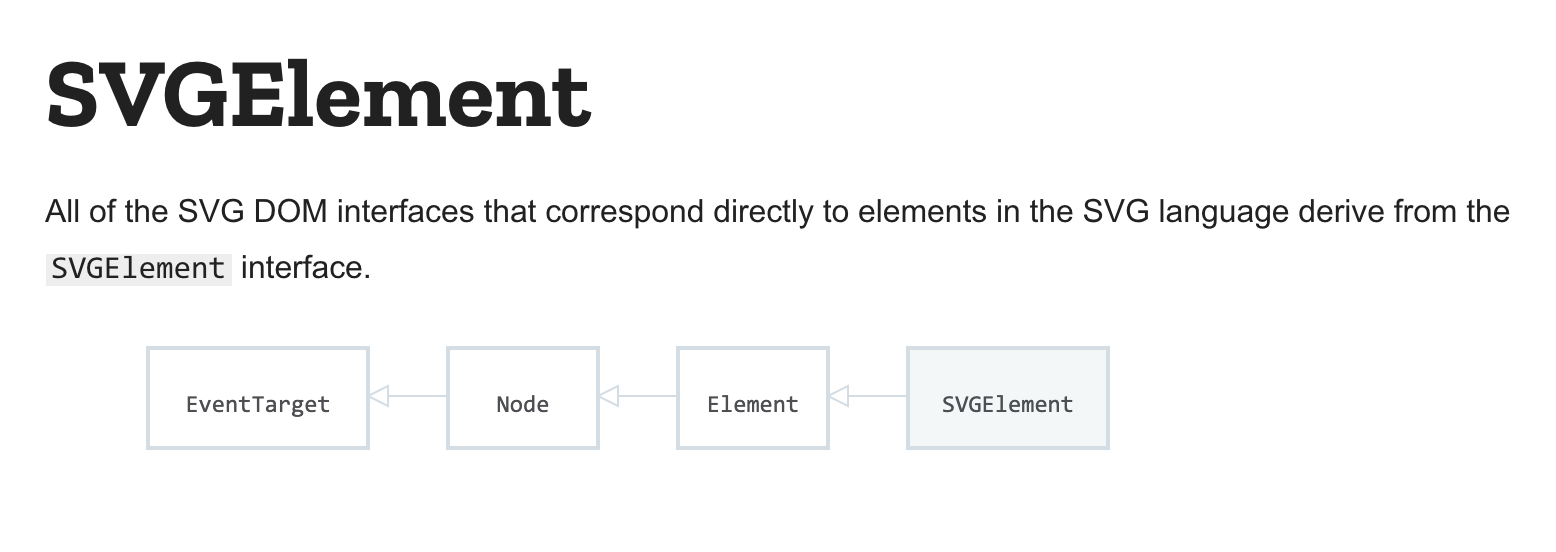
                // SVGRectElement extends SVGElement. SVGElement exteds Element. ... extends TargetElement.
                // TrargetElement has addEventListener.
                console.log(Reflect.getPrototypeOf(target));
                target.addEventListener('click', () => {
                    target.classList.add('animation');
                });
            }
        </script>
    </head>
    <body>
        <div id="svg" style="width: 200px">
            <svg xmlns="http://www.w3.org/2000/svg" viewBox="0 0 50 50"><style>.cls-1{fill:red;}</style><rect class="rect" width="50" height="50"/></svg>
        </div>
    </body>
</html
https://developer.mozilla.org/en-US/docs/Web/API/SVGElement